


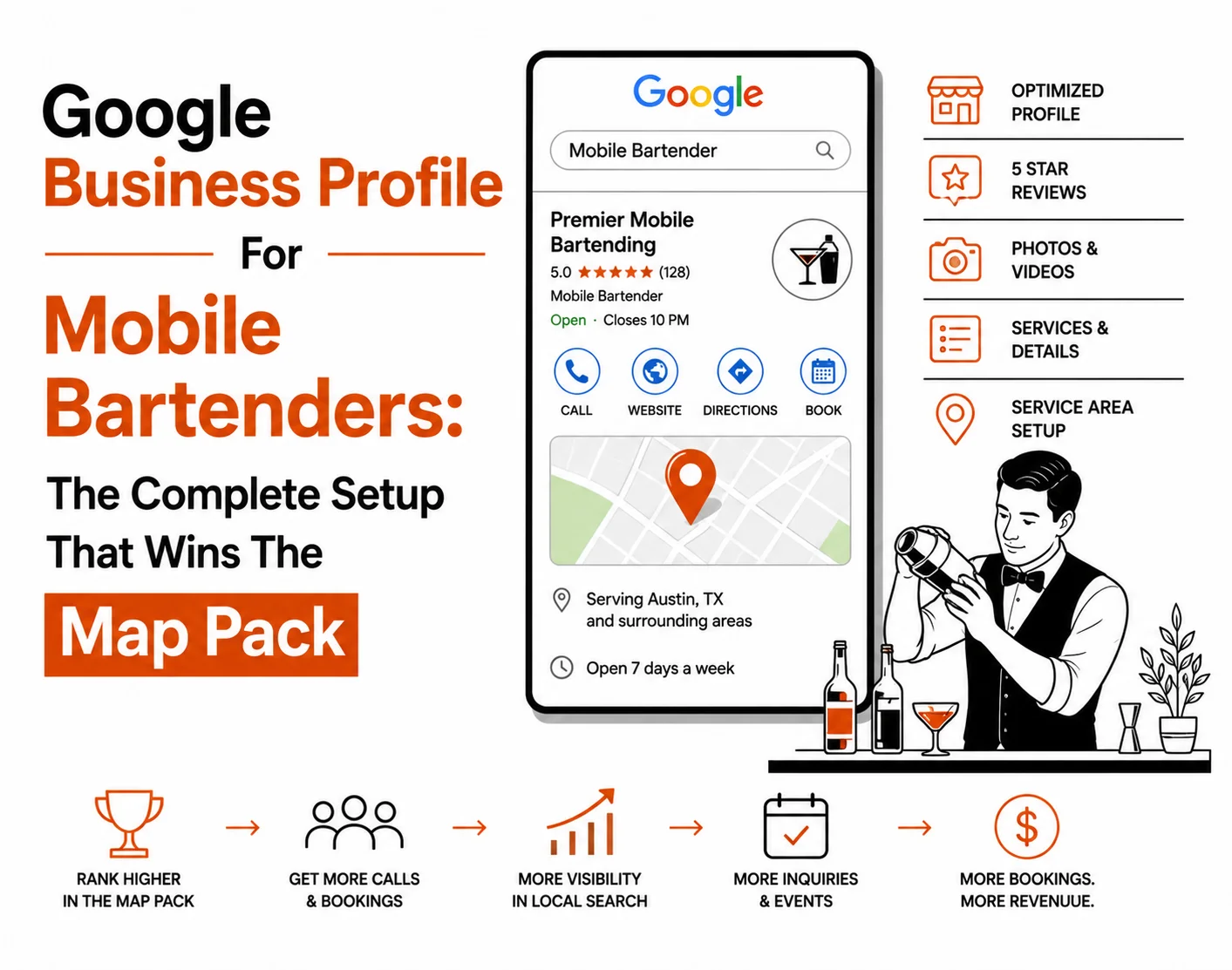
Google Business Profile For Mobile Bartenders: The Complete Setup That Wins The Map Pack
Your Google Business Profile is the single highest-impact free tool for local search visibility yet most mobile bartending businesses have set it up wrong. This guide fixes that, step by step.
When a bride types "mobile bar hire for wedding near me" into Google, three businesses appear on the map at the top of the results page. Those three businesses receive more than 70% of all the clicks for that search. Your Google Business Profile is the primary factor that determines whether your mobile bartending business is one of those three or invisible.
This guide covers every element of a fully optimised Local SEO & Google Business Profile for a mobile bartending business: the setup mistakes that cost rankings, the categories and services that drive relevant traffic, the photo and review strategy that builds Map Pack authority, and exactly how your GBP now feeds into Google's AI Overviews and generative search results.
Section 01 Why Google Business Profile Is the Single Most Important Local SEO Tool for Mobile Bartenders
Should a mobile bartender have a Google Business Profile and does it actually generate bookings?
Yes. A Google Business Profile is the single most powerful free tool for a mobile bartending business to generate local bookings. It is what places your business in the Map Pack the three listings that appear prominently at the top of local search results, above all organic website results. Studies consistently show the Map Pack captures between 44% and 70% of local clicks. A mobile bartender without an optimised GBP is invisible to the majority of clients searching for their service.
The Google Business Profile (formerly Google My Business) is Google's own local business platform. When someone searches "mobile bartender [city]" or "mobile bar hire near me," Google displays a map with the three most relevant, authoritative, and geographically appropriate businesses. This is the Map Pack, and for mobile bartending businesses, it is the highest-ROI marketing asset available — completely free to use.
For a deeper understanding of how local search rankings work across your full online presence, read our guide on how mobile bartenders get found on Google and book more events without paid advertising — it covers the three search channels (Map Pack, organic, AI Overviews) and how GBP fits into the full picture.
How does the Google Map Pack decide which mobile bartenders to show?
Google uses three core factors to determine Map Pack rankings for local service businesses like mobile bartenders:
- Proximity — How close your service area is to the person searching. For service-area businesses that travel to clients, this is partly determined by the service areas you declare in your profile.
- Relevance — How well your Google Business Profile matches the specific search query. A profile with detailed services, the correct categories, and a keyword-rich description is more relevant than a sparse one.
- Prominence — How well-established and trusted your business is online. This is determined by review count and quality, citation consistency, website authority, and overall online presence.
Most mobile bartending businesses that are not ranking in the Map Pack are failing on at least two of these three factors usually relevance (incomplete profile) and prominence (few reviews, inconsistent NAP data). Both are fully within your control.
Section 02 How to Set Up Google Business Profile Correctly as a Mobile Bartending Service-Area Business
How do I set up Google My Business for a mobile bartending business that travels to clients?
Set up your Google Business Profile as a service-area business, not a fixed-location business. Go to business.google.com, choose "I deliver goods and services to my customers," and define your service areas by city, county, or postcode rather than a specific address. Hide your home address from the public profile. This is the correct setup for a mobile bartending business and ensures Google understands your geographic reach without requiring clients to visit a fixed location.
The most common and damaging setup mistake mobile bartenders make is listing their home address as their business location. This creates two problems: it limits your searchable area to a small radius around your home address, and it publishes residential contact information publicly. For a business that travels to every client, neither of these is correct.
The service-area business setup tells Google: this business operates across these defined geographic areas. Google then uses this information, combined with search location data, to determine when your business should appear in Map Pack results.
Search for your business name first. If a listing already exists (sometimes Google auto-creates them), claim it. If not, create a new one. Use the exact same business name you use on your website, social profiles, and directories this is your NAP (Name, Address, Phone) consistency and it is a ranking signal.
This is the critical step. Do not enter a fixed business address. Choose the service-delivery option and proceed to defining your service areas. This declares to Google that you are a mobile, service-area business — which is what you are.
Add the specific cities, towns, and counties that you genuinely serve. Resist the temptation to add every city within a hundred miles Google is increasingly sophisticated at detecting service-area gaming. A precise, accurate service area is more effective than an aspirational one. If you operate primarily in Manchester, Birmingham, and Leeds, list those cities and their surrounding areas specifically.
Google currently verifies most service-area businesses via a video verification process or a postcard sent to your address. Complete this step an unverified profile has severely limited visibility and cannot fully rank in the Map Pack. Verification can take three to fourteen days.
Once verified, go to your profile settings and ensure your address is not shown publicly. For a service-area business, only your service areas should be displayed not a residential address. This is both a privacy measure and a professional signal.
Section 03 What Business Categories, Services and Description Drive the Most Bookings for Mobile Bartenders
What categories should a mobile bartender use on Google Business Profile?
Category selection is one of the most directly actionable relevance signals in your Google Business Profile. Google uses your primary category as the most important signal for determining which searches your profile is eligible to appear in.
| Category type | Recommended category | Why it matters |
|---|---|---|
| Primary | Bartender | Most specific match to the core service use if available in your region |
| Primary (alternative) | Event Venue | Use if "Bartender" is unavailable captures event-based local searches |
| Secondary | Caterer | Captures "catering for events" searches where bar service is part of catering |
| Secondary | Party Planner | Expands visibility to party planning searches common entry point for private bookings |
| Secondary | Wedding Service | Critical for capturing wedding-related Map Pack searches in your area |
What services should a mobile bartender list on their Google Business Profile?
The Services section of your Google Business Profile is a direct relevance signal. Google reads the service names and descriptions you enter and uses them to match your profile to specific search queries. Most mobile bartending businesses leave this section empty or add only two or three generic entries a missed ranking opportunity.
List every service and event type individually as separate entries in your Services section:
- Wedding mobile bar hire
- Corporate event bartending
- Private party mobile bar
- Cocktail bar for hen parties
- Festival and outdoor event bar
- Full-service bar package (alcohol included)
- Dry hire bar package (client supplies alcohol)
- Bespoke cocktail menu design
- Mobile bar hire for charity events
Each service entry can include a short description and a price adding prices further improves relevance for "how much does a mobile bartender cost" type searches, which are among the highest-volume queries in this niche.
How do I write a Google Business Profile description that helps a mobile bar rank?
Write a 500 to 750 character business description that opens with your primary service and city, includes your key event types naturally (weddings, corporate events, private parties), and states one or two genuine differentiators your years of experience, your bespoke cocktail approach, or the specific areas you cover. Avoid keyword stuffing. Write as you would speak to a potential client who has just found your profile and wants to know whether you are the right fit for their event.
[Business name] provides professional mobile bar hire for weddings, corporate events, private parties, and festivals across [your service area]. With [X] years of experience, we bring a complete bar setup including bespoke cocktail menus, professional staff, and everything needed to make your event exceptional directly to your venue. Whether you are planning an intimate garden wedding or a large corporate reception, we create a tailored bar experience your guests will remember. Available across [city] and [surrounding areas]. Get in touch to check availability for your date.
Section 04 Google Business Profile Photos for Mobile Bartenders: What Ranks, What Converts, and What Hurts You
How many photos does a mobile bartending Google Business Profile need — and what types perform best?
Google's own data shows that businesses with more than 100 photos receive significantly more Map Pack views than businesses with fewer photos. For a mobile bartending business, this is both a ranking signal (photo activity tells Google your profile is active and legitimate) and a conversion signal (potential clients want to see your actual bar setup before booking).
The minimum effective photo count for a competitive mobile bartending profile is 20 to 30 images. Aim for 50 or more over the first six months of active profile management. Photo types that perform best:
- Bar setup shots — wide-angle photos of your complete bar setup at real events. These are the images that convert enquiries into bookings clients want to see exactly what they are getting.
- Action shots — bartender preparing cocktails, serving drinks, interacting with guests. These humanise the business and signal professionalism.
- Event atmosphere images the bar in the context of the full event: weddings, outdoor festivals, corporate receptions. These help clients visualise your service at their own event type.
- Cocktail close-ups — individual drinks that showcase the quality and creativity of your menu. These perform well for cocktail-specific searches.
- Team photos — professional images of your team at events. These contribute to E-E-A-T (Experience, Expertise, Authoritativeness, Trustworthiness) — Google's quality framework for local businesses.
Stock photography signals inauthenticity to both Google and potential clients. Google can detect stock images and their presence reduces the E-E-A-T signals your profile sends. Blurry, poorly lit, or low-resolution images similarly undermine trust. Every photo on your Google Business Profile should be a genuine photograph from a real event you have worked — nothing else.
How should mobile bartenders name and optimise photos for Google Business Profile?
Unlike website images, Google Business Profile photos do not use traditional file name SEO in the same way. However, photo descriptions — which you can add when uploading images — are read by Google and contribute to relevance signals. Describe each photo specifically: "outdoor wedding cocktail bar setup, marquee reception" tells Google more than "bar photo 3."
Section 05 Google Review Strategy for Mobile Bartenders: How to Get More Reviews and Use Them to Rank Higher
How do Google reviews help a mobile bartending business rank higher in local search?
Reviews are a direct Map Pack ranking factor. Google uses review count, review velocity (how frequently new reviews arrive), and review quality (whether reviews mention relevant keywords like event types and locations) as prominence signals when determining which businesses to show in local results.
A mobile bartending business with 45 reviews averaging 4.9 stars will outrank an identical competitor with 12 reviews in the same area all other factors being equal. In competitive markets, review count and recency are often the deciding factors between Map Pack positions one, two, and three.
To learn the full review strategy including the post-event email sequence, how to respond to reviews for maximum SEO impact, and how to handle negative reviews without losing potential clients, read our dedicated guide: how reviews drive bookings for mobile bartenders and how to get more without begging.
How do I ask clients for a Google review after a mobile bartending event?
The most effective method is a short, personalised email sent within 24 to 48 hours of the event when the experience is fresh and the client's satisfaction is at its highest. Include a direct link to your Google Business Profile review section (get this link from your GBP dashboard). Keep the message warm and brief: thank them for booking, mention something specific about their event, and ask directly for a review with a single click link. Do not ask via a generic mass message personalisation significantly improves response rate.
What should a mobile bartender do with negative Google reviews?
Negative reviews, handled correctly, can actually strengthen trust in your business rather than damage it. Potential clients reading your profile expect to see a small number of negative reviews a profile with 50 five-star reviews and no variation looks suspicious. What they are watching is how you respond.
The correct response formula for a negative review:
- Respond within 24 to 48 hours — speed signals professionalism
- Thank the reviewer for their feedback, by name if possible
- Acknowledge the specific issue they raised — do not be generic
- Apologise sincerely, without being defensive or dismissive
- Offer to resolve the matter directly by providing your contact details
- Do not ask them to change or remove the review in your public response
A professional, empathetic response to a one-star review regularly converts more bookings than ten five-star reviews with no response because it demonstrates that you take every event seriously and handle problems with integrity.
- Check for any new reviews received this month and respond to all within 48 hours
- Verify you have sent post-event review requests to all recent clients
- Check your average star rating target 4.7 or above for Map Pack competitiveness
- Review the keywords that appear in your reviews do clients mention your event types and location?
- Check for any spam or fake reviews that should be reported to Google
- Compare your review count to the top three Map Pack competitors in your primary city
Section 06 Google Posts and Q&A: The Two Underused Features That Signal Active Relevance to Google
Do Google Posts help a mobile bartending business rank in the Map Pack?
Google Posts are short updates published directly to your Google Business Profile they appear in your profile listing in search results. While Google has not explicitly confirmed that Posts are a direct ranking signal, the activity they create on your profile is a strong relevance indicator, and profiles with regular Posts consistently outperform inactive profiles in Map Pack testing.
More importantly, Google Posts appear directly in your Map Pack listing when someone views your profile — giving potential clients an additional content interaction before they even visit your website. A seasonal Post about "now booking summer weddings" or a recent event highlight showing your bar setup at a marquee wedding is highly compelling content at exactly the right moment in the booking journey.
Post two to four times per month. The most effective post types for mobile bartending businesses:
- Seasonal booking prompts — "Now booking for summer 2026 — limited weekend availability remaining"
- Event highlights — a photograph and two-sentence description of a recent event you completed
- New menu features — announce a new signature cocktail, seasonal menu, or themed bar package
- Offers or promotions — early booking discounts, complimentary cocktail menu design with confirmed bookings
How does the Google Business Profile Q&A section help mobile bartenders rank for voice search and AI queries?
The Q&A section allows anyone to ask and answer questions on your Google Business Profile. If you do not populate this section yourself, competitors or random users may answer questions about your business potentially incorrectly. More importantly, Google's AI uses Q&A content as a source for voice search and AI Overview answers when someone asks a question that matches your Q&A content.
Pre-populate your Q&A section with the ten most common questions you receive from potential clients, and answer each one thoroughly. This is AEO (Answer Engine Optimisation) in its most direct form you are providing Google's AI with pre-formatted question-and-answer pairs from your own business profile.
Do you supply the alcohol or does the client? · What event types do you cover? · What is the difference between full-service and dry hire? · How far in advance should I book? · What is included in your wedding bar package? · Do you have public liability insurance? · What is your service area? · Do you provide a bartender for small private parties? · Can you create a bespoke cocktail menu? · What happens if I need to cancel or change my booking date?
Section 07 How Google Business Profile Feeds AI Overviews, GEO, and AEO for Mobile Bartenders in 2026
Does Google Business Profile help mobile bartenders appear in AI search results and Google AI Overviews?
Yes. A fully optimised Google Business Profile is one of the primary data sources Google uses when generating AI Overview answers for local service queries. When someone asks "who is the best mobile bartender in Manchester" or "how do I find a mobile bar for my wedding in Surrey," Google's AI draws on GBP data — business name, service areas, categories, reviews, Q&A, and posts to generate its answer. Businesses with complete, active, review-rich profiles are significantly more likely to be cited in AI Overviews than businesses with sparse or inactive profiles.
Generative Engine Optimisation (GEO) — the practice of optimising your online presence to appear in AI-generated search answers — relies heavily on the same trust signals that have always driven local SEO. A Google Business Profile that is complete, active, and consistent with your website and directory listings is the local foundation of GEO for a mobile bartending business.
The Q&A section, Google Posts, and your review responses are all direct content inputs that Google's AI can cite when generating answers. This means your GBP is not just a Map Pack asset it is a content channel for AEO (Answer Engine Optimisation), providing structured, attributed answers to the questions your potential clients are asking in Google's AI interface.
For a full breakdown of how GEO and AEO work for mobile bartending businesses — and how to optimise your content to appear in AI-generated answers across all platforms — see our dedicated guide: how mobile bartenders can appear in AI search results and voice answers.
What is the relationship between Google Business Profile and Wikipedia for local search authority?
Google cross-references business entity data across the web to verify legitimacy and establish Knowledge Graph entries. A mobile bartending business with consistent presence across its GBP, website, directories, and reputable external references including mentions in local event industry publications, wedding blogs, or editorial content builds what Google considers a verified entity. Understanding the broader context of how Google evaluates business authority is rooted in the same principles that govern search engine optimisation as a whole — entity recognition, trust signals, and relevance alignment across all digital touchpoints.
Section 08 Frequently Asked Questions About Google Business Profile for Mobile Bartending Businesses
Yes, absolutely. A Google Business Profile is the single highest-impact free tool available to a mobile bartending business for local search visibility. It places your business in the Map Pack — the three listings at the top of local search results that capture the majority of clicks for searches like "mobile bartender near me" or "mobile bar hire [city]." Without a Google Business Profile, your business is invisible to the majority of clients searching locally.
Set up your Google Business Profile as a service-area business rather than a fixed-location business. At business.google.com, choose "I deliver goods and services to my customers" and define your service areas by adding the specific cities, towns, or counties you cover. Hide your home address from the public listing. This is the correct setup for a mobile bar business and ensures Google understands your geographic coverage without requiring clients to visit a fixed address.
Yes. Mobile bartending businesses can and do rank in the Google Map Pack (the 3-Pack). The ranking factors are proximity to the searcher, relevance of your profile to the search query, and prominence signals including review count, review quality, photo activity, and citation consistency across the web. A fully optimised Google Business Profile with genuine reviews and real event photos consistently outranks incomplete profiles in the same geographic area.
Set your primary category to "Bartender" if available in your region, or "Event Venue" as an alternative. Add secondary categories including "Caterer," "Party Planner," and "Wedding Service" to broaden the searches your profile appears for. In the Services section, list every event type individually weddings, corporate events, private parties, hen parties, festivals, and charity events each as a separate service entry with a brief description.
Send a personalised post-event email within 24 to 48 hours of completing each booking. Include a direct link to your Google review page get this from your GBP dashboard. Keep the message short and warm: thank them for booking, mention something specific about their event, and ask directly for a review with a one-click link. Aim for five or more new reviews per month and respond to every review within 48 hours.
There is no fixed number it depends on your market. In smaller, less competitive towns, 8 to 12 reviews may be enough. In competitive city markets, 30 or more may be needed. What matters more than total count is review velocity (earning new reviews consistently), review quality (detailed reviews that mention event types and locations), and your count relative to the top three competitors in your specific area.
Yes. A fully optimised Google Business Profile is one of the primary data sources Google uses when generating AI Overview answers for local service queries. Businesses with complete profiles, strong review counts, active Google Posts, populated Q&A sections, and consistent NAP data across the web are significantly more likely to be cited in Google AI Overviews. The Q&A section in particular functions as a direct AEO (Answer Engine Optimisation) asset pre-formatted question-and-answer pairs that Google's AI can reference directly.
Respond within 24 to 48 hours, professionally and without defensiveness. Acknowledge the issue, apologise sincerely, and invite them to resolve it directly by providing your contact details. Never argue publicly. A professional response to a negative review demonstrates integrity to every potential client who reads it and often converts more bookings than ten positive reviews with no response. A small number of negative reviews with excellent responses often builds more trust than a suspiciously perfect 5.0 average.
Is Your Google Business Profile Costing You Map Pack Positions Right Now?
Rankvi builds and optimises Google Business Profiles for mobile bartending businesses that want to rank in the Map Pack, appear in AI Overviews, and generate consistent organic bookings.
